Refresh If Video Is Not Available
For Book Student Training Schedule, You have to Open Student Files First
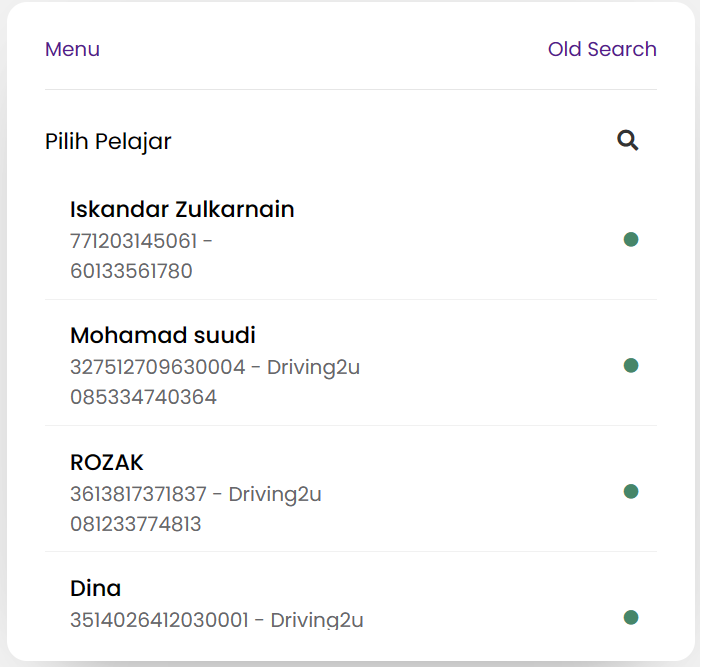
You Can View Student Package when you click Siswa Button first
Please enter student criteria example NIK / AKTA number to searching field and click student detail that appear after searching criteria has been entered
Please enter student criteria example NIK / AKTA number to searching field and click student detail that appear after searching criteria has been entered

Praktek Button
Click the Praktek Button on the Schedule
Click the Praktek Button on the Schedule
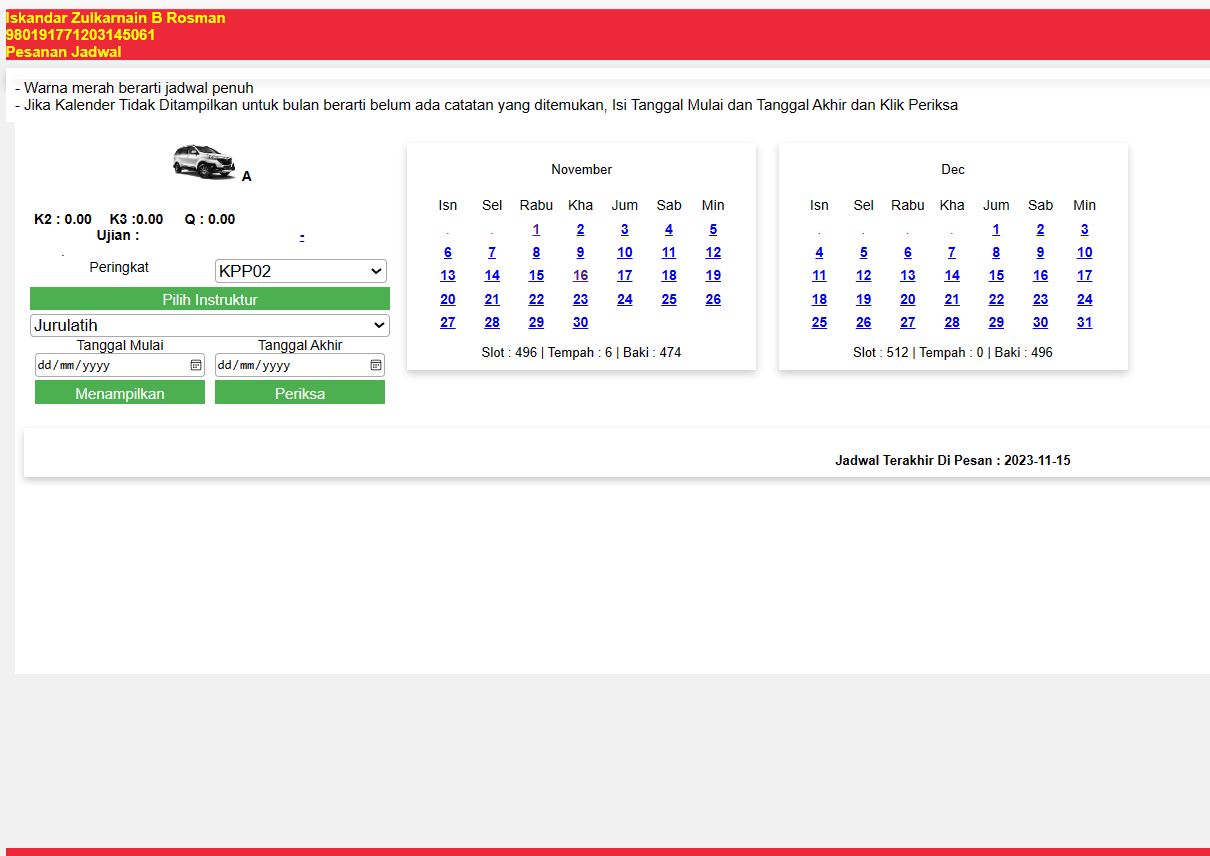
Training Calendar
Training Schedule will appear. You need to click on the date student choose to view training slot
Training Schedule will appear. You need to click on the date student choose to view training slot
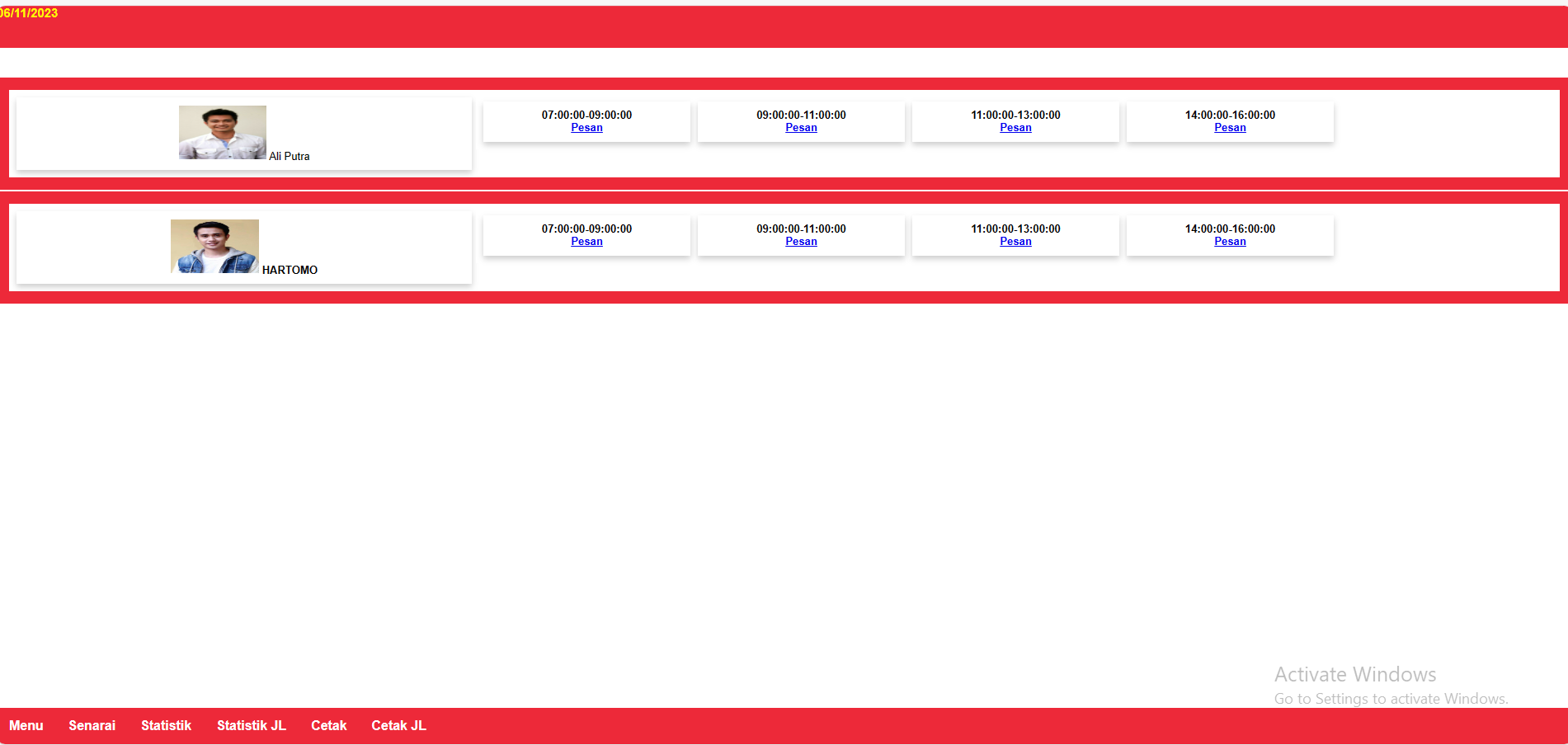
Schedule Slot
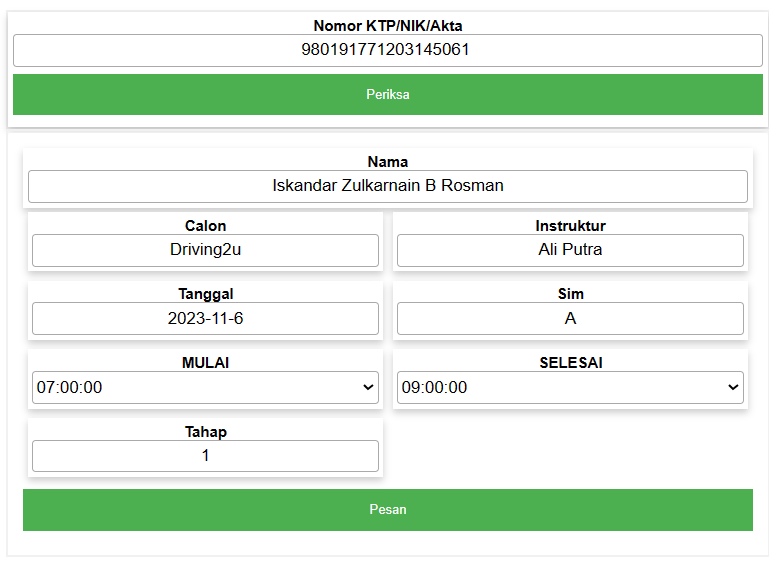
System will show training slot available. Click Pesan to choose slot for training
System will show training slot available. Click Pesan to choose slot for training
Booking List
Clik Daftar Pemesanan To View Booking History
Clik Daftar Pemesanan To View Booking History
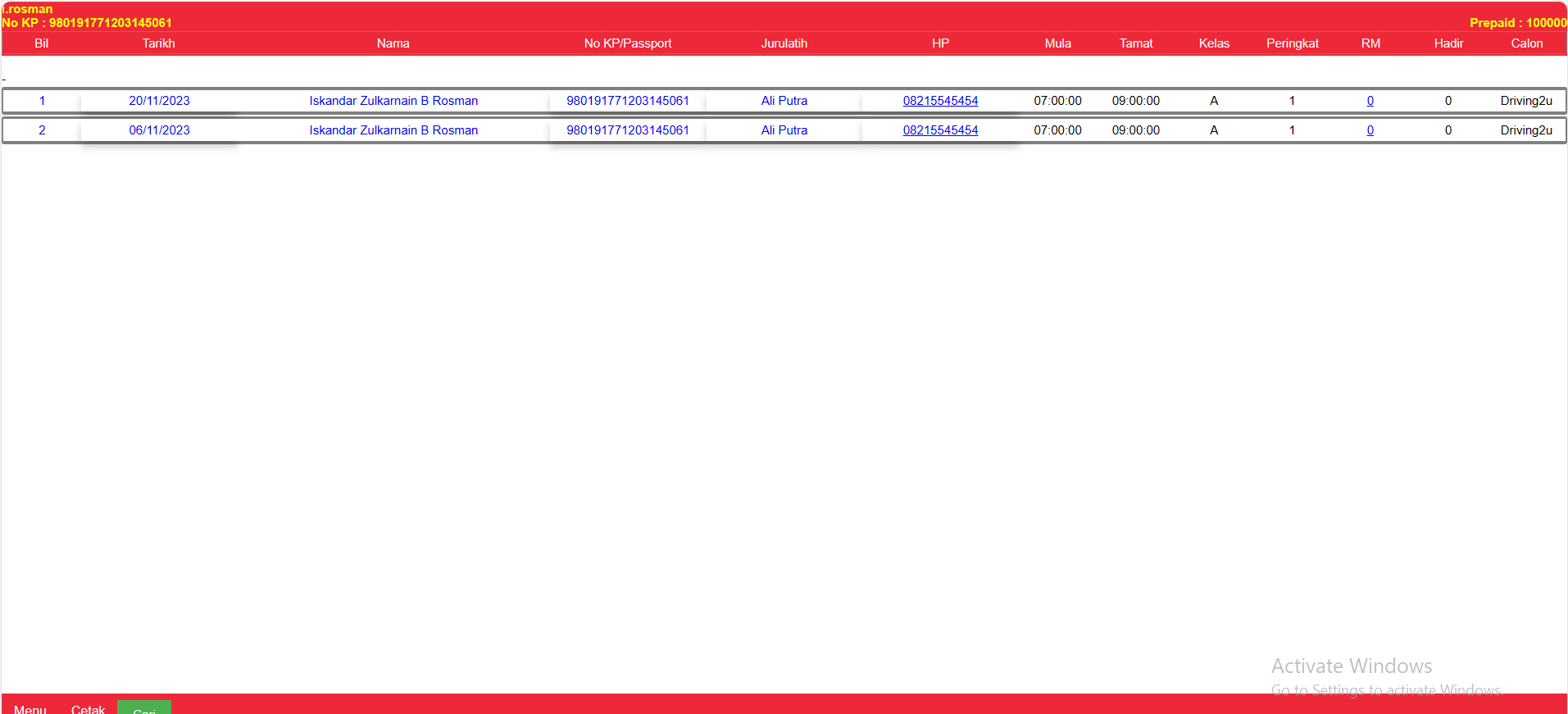
Edit Schedule
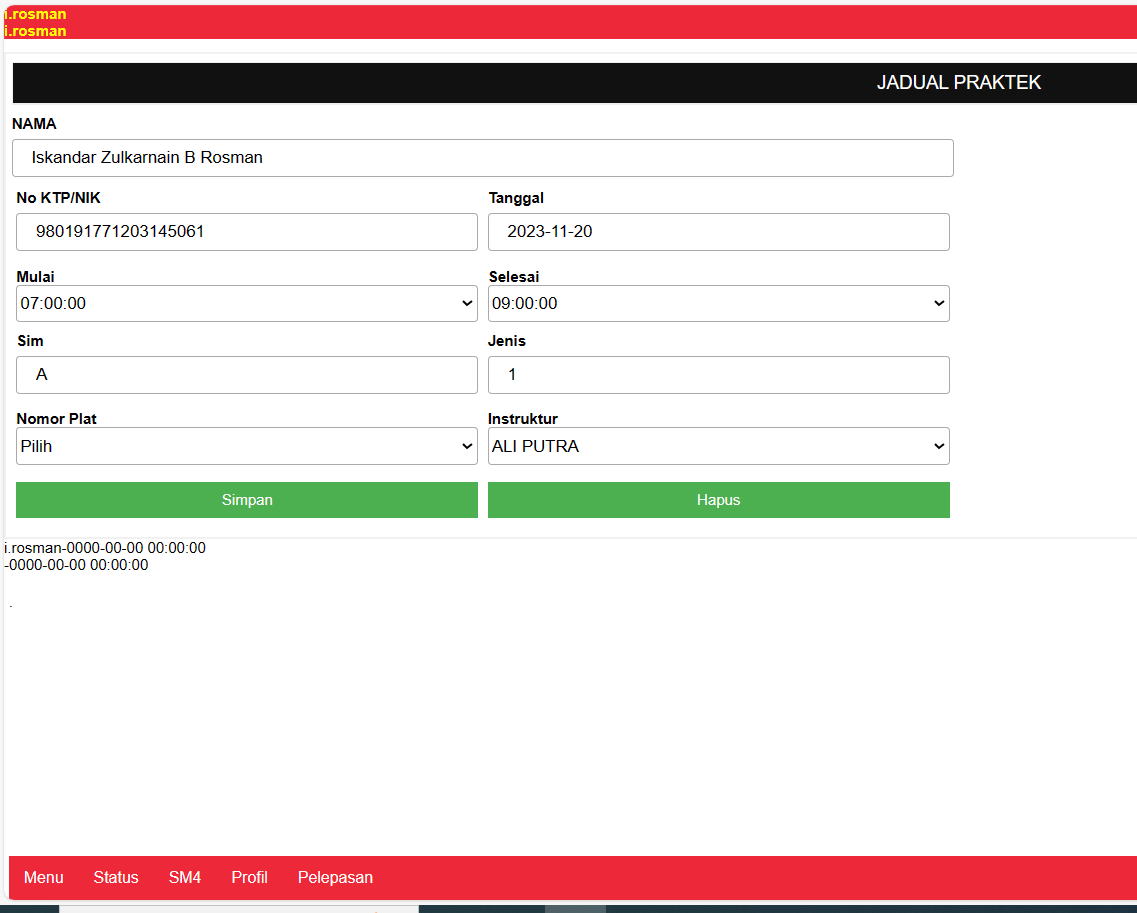
If You want to edit / change training detail u can do it by click on date of training
If You want to edit / change training detail u can do it by click on date of training
Delete
You Can Delete Training Schedule by click Hapus Button
You Can Delete Training Schedule by click Hapus Button